1. Overview
pms tracks projects, activities, meeting minutes and daily progress in one place. Each team works in its own workspace, and the dashboard shows the whole portfolio: what is in progress, what is delayed and what has not started.
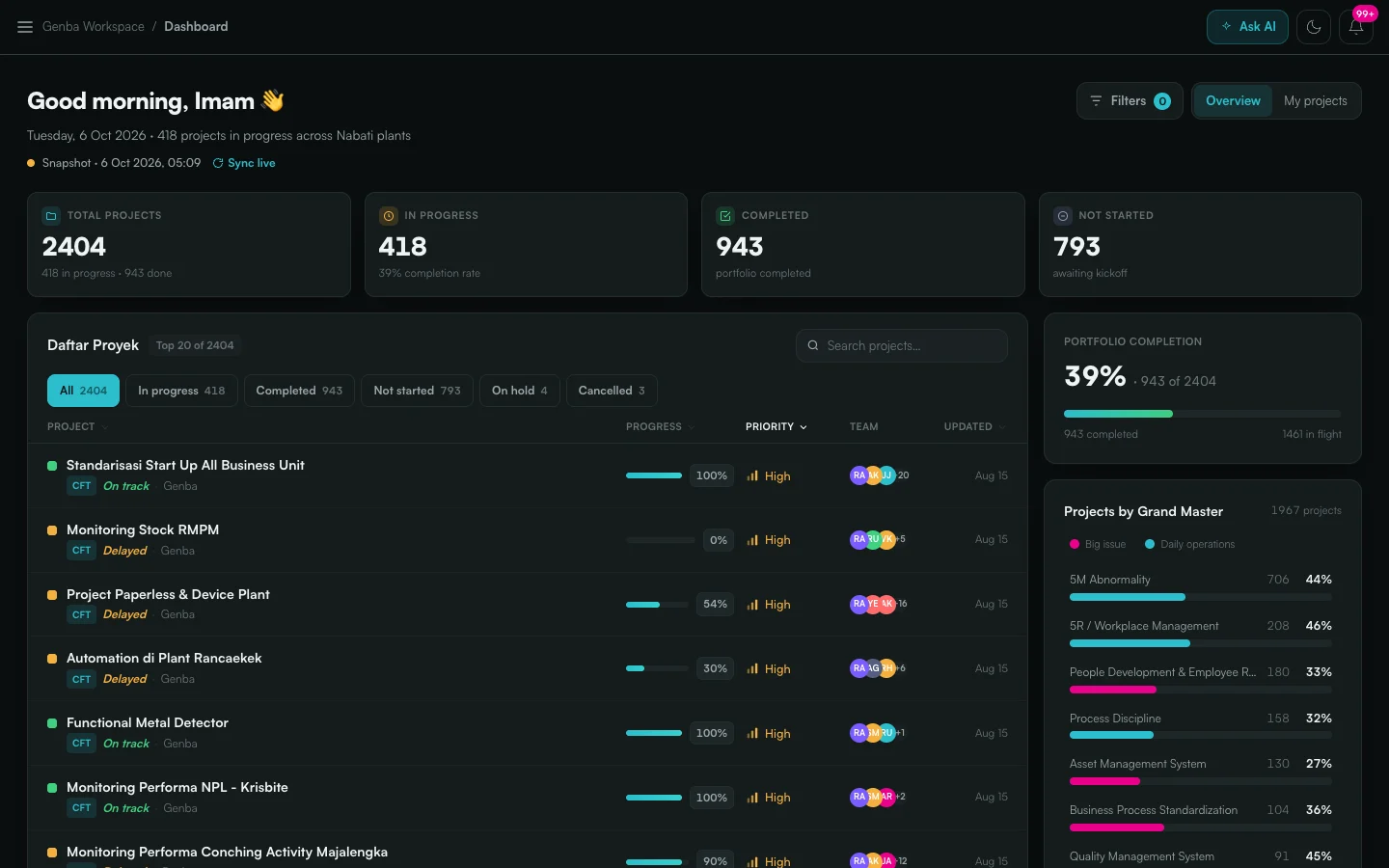
Figure 1: The PMS dashboard for the Genba workspace, showing portfolio status, progress per project and a status breakdown.
2. Projects
A project is broken down into a tree of activities, numbered like an outline (1, 1.1, 1.1.1). Each activity has a status, dates, a team and progress, and a parent’s progress reflects its children. The same activities can be viewed as a tree, a board of buckets, a timeline or analytics, so a manager and an engineer can look at the same work in the way that suits them.
Next to the activities, each project shows its people, the concerns raised against it and the minute reports from meetings about it.
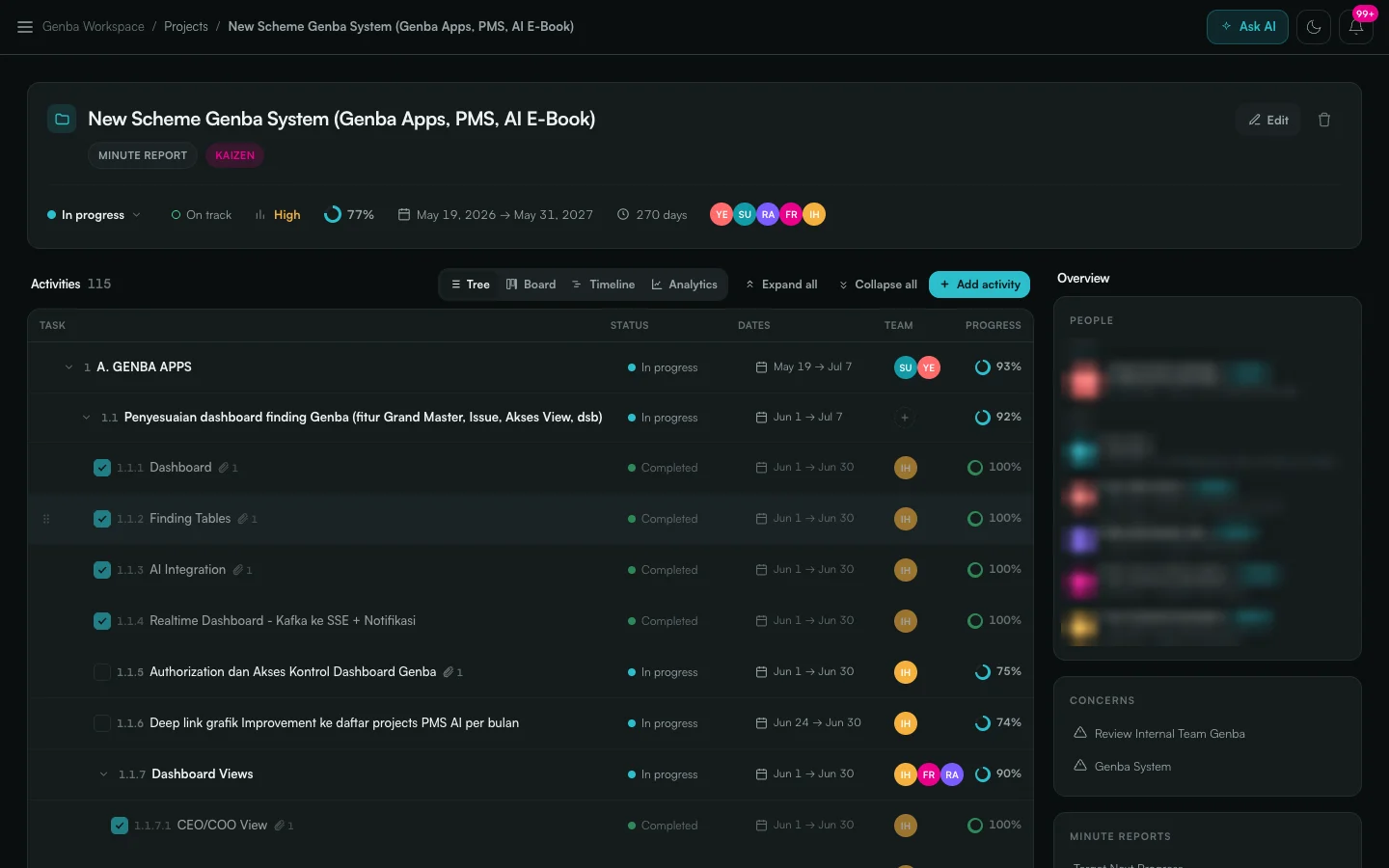
Figure 2: A project as a tree of 115 activities, with status, dates, team and progress per item. The People panel is blurred.
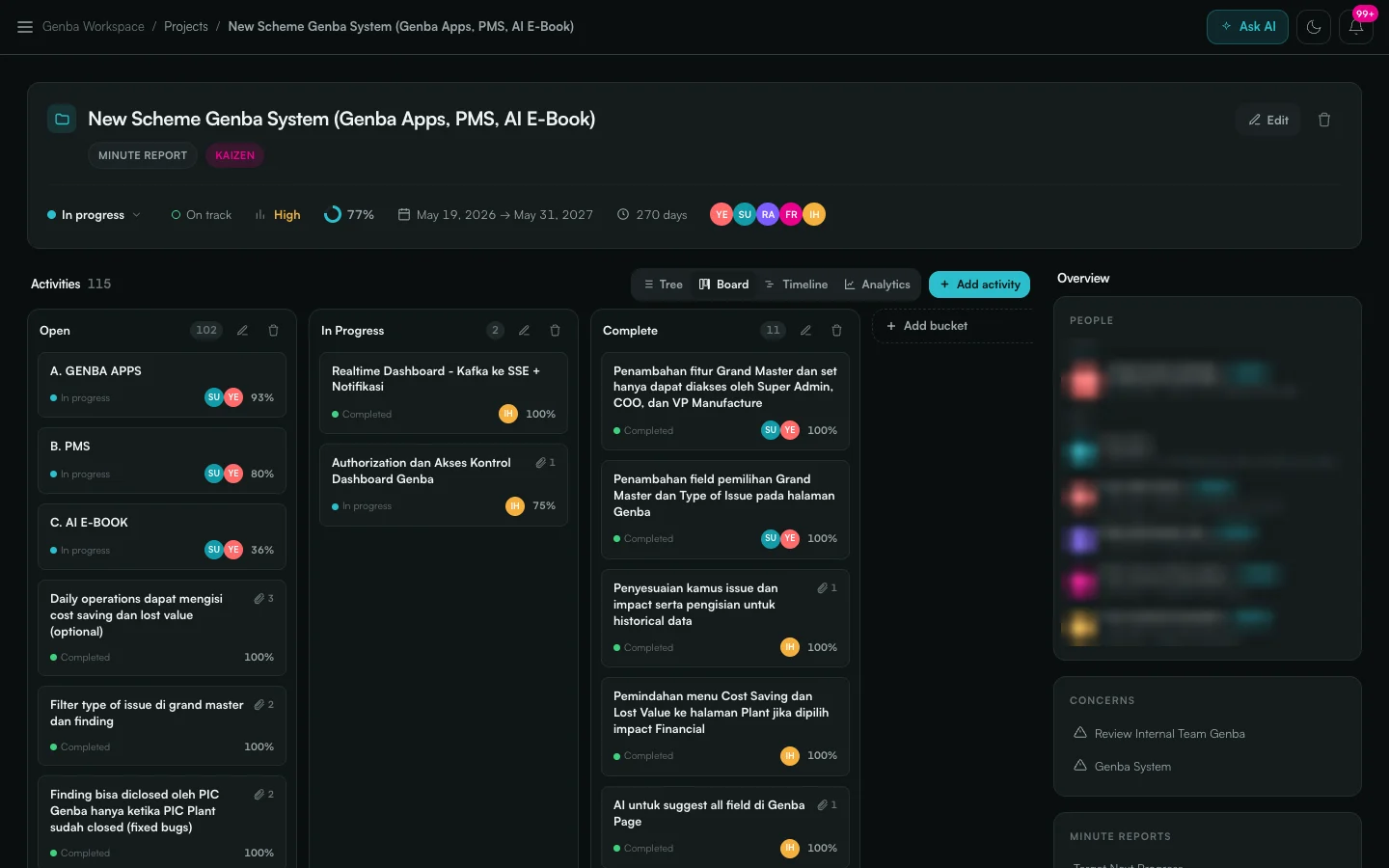
Figure 3: The same project as a board, with activities grouped into Open, In Progress and Complete buckets.
3. Tasks, Meetings and Concerns
Work does not only come from project plans. It also comes out of meetings and problems.
- Meetings are recorded with their minutes (MoM). Action items in the minutes become tracked tasks, linked to the projects they affect.
- Concerns are issues raised across projects, each with an owner, a status and the projects it touches.
- My Tasks collects everything assigned to a person in one list: project activities, minute report actions and items waiting for approval.
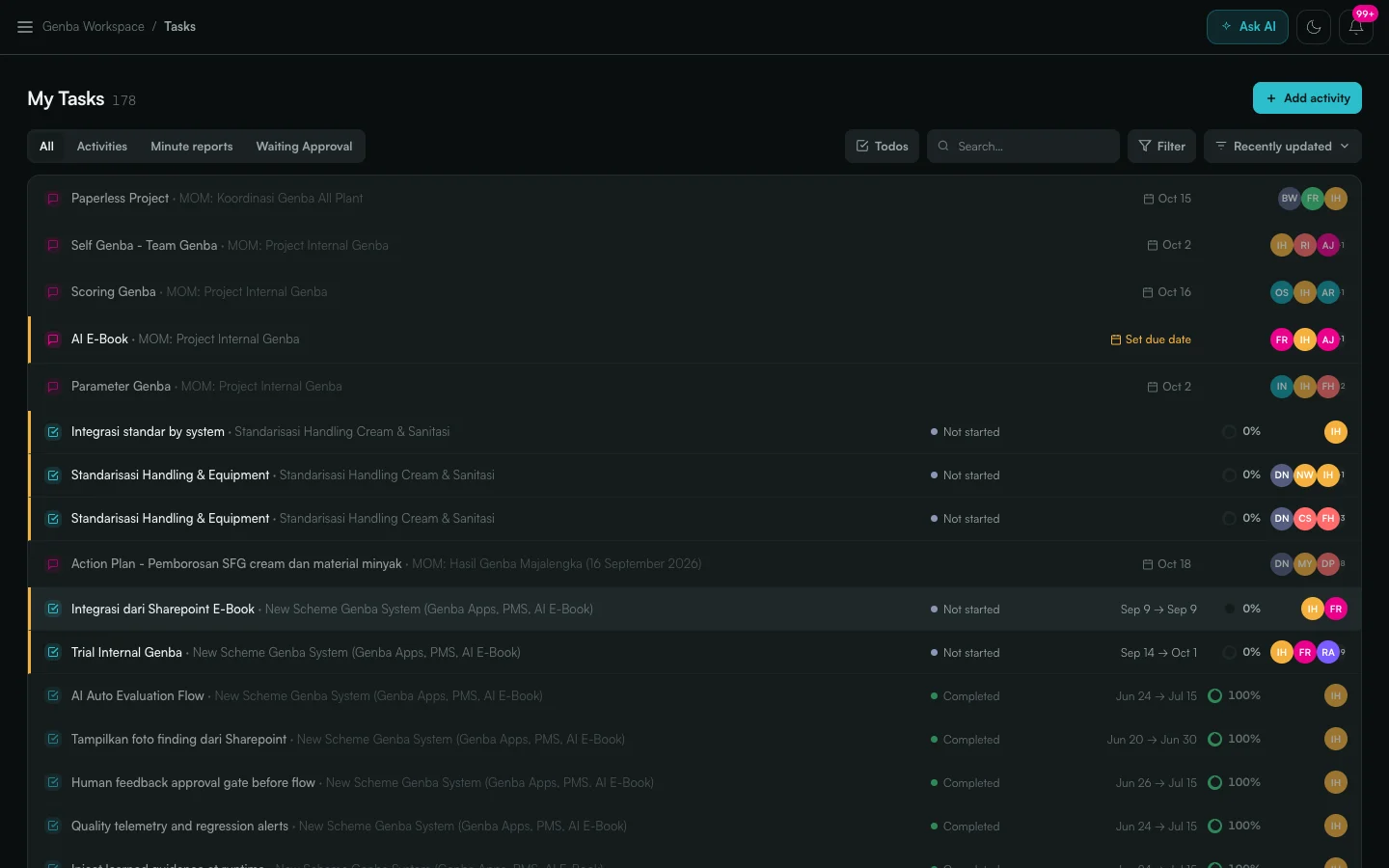
Figure 4: My Tasks, combining project activities and meeting actions from every project in one list.
4. Integrations
- Microsoft Teams and SSO through Microsoft Graph and Entra ID.
- Other enterprise systems through webhooks, a REST API and Kafka.